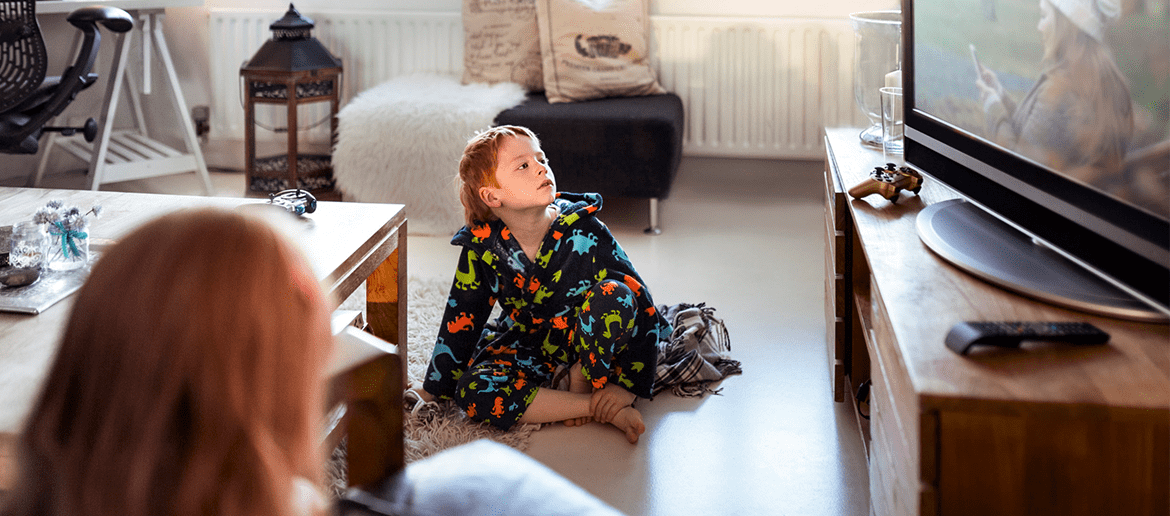
A Research-Backed Guide to Healthy Screen Time Boundaries for Pre-Teens


Introduction: Parenting in the digital age means navigating how much time kids spend on screens. Pre-teens (around 9–12 years old) often use gaming consoles (Nintendo Switch, Xbox, PlayStation) or borrow a parent’s phone for games and videos, even if they don’t have their own phones yet. It’s natural for parents to worry that screen time might “take over” their child’s day, crowding out healthy activities like sleep, homework, or family time. The good news is that by setting clear, healthy screen time boundaries – grounded in research and sensible guidelines – you can help your child enjoy technology and avoid the pitfalls of overuse. This guide provides evidence-based insights and practical strategies to set those boundaries without power struggles, ensuring screen use remains a positive part of your pre-teen’s life. [Sources at the bottom]
Understanding Screen Time and Its Impact on Pre-Teens
Quality Over Quantity: In the past, experts often recommended hard limits (for example, older guidelines suggested around one hour per day of recreational screen time for kids 2–12). Today, organizations like the American Academy of Pediatrics (AAP) emphasize a more individualized approach. There isn’t a one-size-fits-all “safe” number of hours for all children. Instead, focus on the quality of screen activities and how they fit into a balanced lifestyle. Ask yourself: Is my child getting enough sleep, exercise, social interaction, and homework done? If yes, a bit of extra screen time may be fine. If not, the screens might be infringing on important needs.
Research-Backed Guidelines: For school-age children (approximately 5–12 years old), experts recommend establishing boundaries that prioritize essentials like sleep (9–12 hours a night) and physical activity (at least 1 hour a day). In other words, ensure screen time isn’t cutting into your child’s bedtime or active play. Many families still use a rule of thumb of about 1–2 hours of recreational screen time per day for this age group, but this should be adjusted based on your child’s needs and behavior. The key is that screens should not be displacing healthy activities. For example, if gaming is pushing bedtime later or replacing outside play, it’s time to set firmer limits. Conversely, if your child is doing well in school, getting exercise, and having family time, a little gaming or YouTube after homework can be part of a healthy routine.
Why Limits Matter: Excessive screen time has been linked to various challenges in kids’ well-being. Studies have found that too much screen use can disrupt sleep, increase irritability, and shorten attention spans in children. Kids who consistently overindulge in screens often show less creative play and reduced face-to-face social interaction. Over long periods, heavy screen use is associated with higher risks of anxiety and depression in youth – likely because endless scrolling or gaming keeps their brains in a hyper-stimulated state, affecting mood and focus. Of course, moderate screen use (especially high-quality, educational, or social content) can have benefits too. The goal of setting boundaries isn’t to ban screens altogether, but to prevent harm from overuse and ensure that digital media is a positive addition to your child’s life, rather than a source of conflict or unhealthy habits.
Note: At this age, kids use screens for entertainment (games, videos) and maybe some learning – they’re not usually on social media yet. That makes it an ideal time to instill good habits. Teaching balance now will help them self-regulate when they’re teens with phones of their own.
Setting Clear Screen Time Boundaries (While Avoiding Power Struggles)
Setting rules around screens works best when done collaboratively, clearly, and consistently. Here are research-backed strategies for creating healthy screen time boundaries and reducing battles:
- Create a Family Media Plan Together: Involve your pre-teen in setting the rules. Kids are more likely to respect limits when they have a say in creating them. Sit down as a family and discuss what a balanced day looks like – time for school, homework, chores, play, family, and screens. Emphasize that everyone (adults too) will follow the agreed rules. This might include deciding on screen-free times (for example, “no devices during dinner and after 8 PM”) and permitted daily screen allotment (say, “up to 1 hour of game time on school nights”). Write down the plan or use the AAP’s online Family Media Plan tool to formalize it. Having a “contract” reduces arguments because “the rules” – not just a parent’s whim – become the bad guy.
- Prioritize Key Activities First: Make it clear that screens come after responsibilities. For instance, homework, chores, outdoor play, and family dinner should happen before any gaming session. This ensures important tasks aren’t neglected and frames screen time as a privilege earned each day. One approach is using screen time as a reward or incentive: “If you get ready for school on time all week, you earn an extra 30 minutes of game time on Saturday.” Tying tech use to positive behavior or completed tasks can motivate your child. Just be sure the goals and rewards are clear and achievable (write them down together).
- Set a Daily Schedule for Screens: Kids handle limits better when they know what to expect. Establish predictable windows when screen time is allowed. For example, you might allow 30 minutes of tablet or console play after school and 30 minutes after dinner, or a 2-hour block on weekend afternoons. By setting specific “yes-screen” times, you reduce constant begging at other times. For instance, if your child knows that TV/gaming is always okay between 7–8 PM, they’re less likely to hound you at 5 PM for it. A regular schedule (“Tech time is after homework, for up to one hour”) builds routine and helps kids accept limits calmly. It also helps you as a parent plan your day – you might get your own chores done while they’re safely occupied on the screen.
- Carve Out “Screen-Free” Zones and Times: Some times of day and areas of the house should consistently be screen-free to encourage other activities and family interaction. Bedrooms and mealtimes are great places to start – especially the hour before bedtime. Make it a house rule that no TVs, gaming consoles, or smartphones are used at dinner, and consider keeping devices out of kids’ bedrooms altogether at night. (This prevents sneaky late-night gameplay and helps kids wind down for sleep.) Research strongly supports having a screen-curfew before bed: avoiding bright screens at least 60 minutes before bedtime improves children’s sleep quality. So, you might decide all devices go on the charging dock in the living room by 8:30 PM each night. Consistently enforcing these screen-free times/zones sends the message that screens are not allowed to intrude on important family routines like meals, sleep, and in-person conversations.
- Offer Fun Alternatives: Simply telling a pre-teen to “turn it off now” without anything else to do can invite boredom and pushback. Help your child come up with an “activity menu” of screen-free things they enjoy. This could include riding a bike, shooting hoops, reading comics, doing a craft, playing with a pet, or board games. Post the list on the fridge. Then, when screen time is up or not an option, instead of just saying “No Xbox,” you can say, “Time’s up on Xbox, how about you choose something from the activity list?” Providing appealing alternatives makes it easier for kids to transition away from the screen without a fight. It also encourages them to develop hobbies and skills beyond electronics.
- “First Things First” Rule: Reinforce a simple rule: screens only after essential tasks are done each day. For example, a child must finish homework, practice piano, and tidy their room before any video games. This not only ensures productivity, but it gives the child a sense of earning their screen time. They’ll also learn time management – if they dawdle on homework, it eats into game time. On the flip side, knowing they have gaming to look forward to can motivate them to finish other tasks. It’s helpful to state this positively: “When you’ve finished your chores and homework, then you can have your device time.” This framing (sometimes called “Grandma’s rule”) reduces power struggles by linking screens with responsibility.
- Use Timers and Tech Tools to Enforce Limits: Let technology be the bad cop so you don’t always have to! Most gaming consoles, tablets, and phones have built-in parental controls that can set time limits or curfews. For example, the Nintendo Switch’s parental control app allows you to set a daily play-time limit and even a “bedtime alarm” to lock the console after a certain hour. Xbox and PlayStation have family settings where you can assign your child their own account and configure daily screen time quotas or specific hours they can play. If you enable these features, the device will warn the child (or even automatically pause the game) when time is almost up – so it’s not just you nagging. Before your child starts their screen session, calmly remind them of the limit: “You have 30 minutes of game time – the console will alert you when time’s almost up.” When the timer goes off, it’s an impartial cue that “time’s up,” which can reduce arguments. Some parents also use a simple kitchen timer or have the child set their own alarm as a signal; interestingly, if kids set a timer themselves, it helps build self-regulation skills and gives them a bit of control.
- Model Healthy Screen Habits: Children learn more from what we do than what we say. If parents are glued to their phones, kids will mimic that. Show that screens are not the center of life by following the rules yourself. For instance, put your phone away during dinner, and don’t bring the iPad to bed. If your family has a “no phones after 9 PM” rule, that applies to the adults too. By demonstrating that you can unplug, you send a powerful message. And if you slip up (say you instinctively pull out your phone during a family movie night), acknowledge it and gently correct yourself: “Oops, I got caught by my phone. I’m putting it away – I want to watch with you.” This kind of accountability shows kids that the screen rules are for everyone’s well-being, not just to control them. It builds trust and makes them less likely to protest “unfair” restrictions.
- Keep an Eye on Content: Time limits are important, but what your child is doing on screens matters too. Ensure the games, videos, and apps they use are age-appropriate and high-quality. For gaming consoles, take advantage of content filters – for example, on Nintendo Switch you can set the profile to “Pre-Teen” or use custom settings to restrict games by their ESRB ratings. This way your 10-year-old won’t be playing a violent M-rated game. On a shared family tablet or phone, use app store settings or parental control apps to block or require approval for any new app downloads or in-app purchases. If your child watches YouTube, consider using the YouTube Kids app or YouTube’s “supervised account” mode for older kids. These platforms allow you to set content filters and even time limits – YouTube Kids has a built-in timer that will display a friendly alert and stop the videos when time runs out. Discuss with your child what they like to watch or play, and make sure it aligns with your family’s values and their maturity. Co-view or co-play when you can, so it becomes a shared activity and you’re aware of what they’re experiencing online.
Preventing Power Struggles and Managing “Tech Tantrums”
Even with great plans in place, you might still face the dreaded “one more level!” or a meltdown when it’s time to turn off a device. Pre-teens can become deeply engrossed in a game or video, and transitioning away from that stimulation isn’t easy. Here’s how to minimize conflict around screen time and handle it calmly when conflict does arise:
- Set Expectations in Advance: Surprises can trigger pushback. Always give a heads-up about when screen time will end. For example, let your child know: “You have 15 minutes left on the iPad, then it’s dinner time.” A 5-minute warning as the end approaches can also help them mentally prepare to stop. If they’re in the middle of a multiplayer game, you might adjust – e.g., “After this match, it’s time to shut down.” By making the endpoint clear ahead of time, you avoid abrupt confrontations. This ties in with using timers or on-screen notifications as mentioned above – the device can often provide the warning for you.
- Stay Calm and Consistent: If a child does protest or throw a tantrum when you enforce the limit, resist the urge to yell or lecture. Arguing in the heat of the moment usually just fuels a power struggle. Instead, keep your cool and your words minimal. A simple, firm statement like “I know it’s hard to stop, but time is up now” is enough. Repeating the rule instead of engaging in debate shows you’re serious but not hostile. Remember, your child’s brain is flooded with frustration (they’ve essentially lost a source of dopamine-fueled fun). They aren’t in a state to absorb a lecture about screen addiction. So save the big discussions for a calm time later. In the moment, enforce the boundary with empathy but without backing down.
- Avoid Negotiating or Giving In: Seasoned parents know that once a rule is set, constant begging like “Just five more minutes, pleeease?” is common. It’s crucial not to send mixed signals by caving. Research on behavior shows that if kids think there’s any chance you’ll relent, they will keep pushing (this is sometimes called an “extinction burst,” where the behavior temporarily amps up). Expect that in the first week or two of a new screen rule, your child will test the limits – they might get moody, whine, or claim, “All my friends get more time!”. Stand firm through this storm. Consistency is key: if you hold the line every time, they will adapt and the protests will diminish, often within a couple of weeks. Do not get drawn into arguments about “why the rule is so unfair.” As one child psychologist notes, “Parents want to set limits and kids don’t see why those limits should exist” – debating with a 10-year-old on this is usually unproductive. So, decide the rule ahead of time and kindly stick to “That’s what we agreed on.” Over time, your child will realize whining doesn’t change your mind, and the power struggles will fade.
- Use Distraction and Redirection: If a serious tantrum erupts, sometimes the best tactic is to redirect their attention. This is where having those alternative activities or a “quiet cooldown spot” helps. You might calmly say, “I can see you’re upset. Let’s take a break – how about we go shoot some hoops for a bit?” or “Why don’t you have a cool-down in your cozy corner and when you’re calm, we can play a board game?” For younger pre-teens, physically guiding them to a different environment (another room, outside, etc.) can snap the all-consuming focus on the device. The idea is to replace the screen with another engaging input rather than just leaving a void.
- Empathize, Don’t Demonize: Acknowledge that stopping a fun activity is hard – we adults struggle with “just one more episode” ourselves! Let your child know you understand: “I know you love playing Minecraft and it’s frustrating to stop. I sometimes feel the same when I have to turn off my show.” This doesn’t mean reversing the decision; it means showing you care about their feelings. When children feel heard, they are more likely to calm down and comply. You can even work together later to brainstorm solutions: for instance, if transitions are very hard, maybe a 5-minute wind-down period with the game (like organizing inventory or finding a save point) could be allowed, or perhaps use that built-in alert to help them prepare for the end.
- Praise Good Behavior: Catch your child handling screen limits well and praise them for it. Positive reinforcement can go a long way. For example, if you call “time’s up” and they sigh but do shut off the TV, later say, “Hey, I noticed you turned off without a big argument today – I really appreciate that. It shows maturity.” This kind of acknowledgment makes them feel good about complying, rather than feeling like they “lost” some battle. Some families even use reward charts – e.g. a sticker for each day without screen-time fights, and earning a special reward after a certain number of stickers. This should be balanced so that screens themselves aren’t always the reward; focus on praising the behavior of handling limits calmly.
- Address the Underlying Needs: Tantrums around screens can sometimes signal underlying issues. Experts note that kids often crave screen time more when they’re tired, hungry, or stressed. The screen becomes a way to zone out or get a dopamine boost. If you notice meltdowns happening mostly at certain times (like right after school), consider the context: maybe they need a snack, a hug, or some run-around time before dealing with screen limits. Ensuring your child’s basic needs are met (food, rest, emotional support) can pre-empt a lot of technology battles. A child who is well-rested and calm will cope better with “game over” time than one who is over-stimulated or anxious.
- When Things Get Heated: Despite best efforts, if a situation escalates (your child is yelling, crying, or even lashing out because screen time ended), focus on safety and de-escalation. Stay as calm as possible – if you get angry too, it will only intensify the storm. You might say, “I see you’re very upset. We’ll talk when you’re calmer,” and give them space to cool down. For some kids, a “quiet corner” or going outside for a few minutes helps. If your child becomes physically aggressive or destructive, you should intervene to keep everyone safe, but try to do so without aggression in return. Once the child calms down, you can discuss consequences if needed (for instance, if they broke a rule by hitting or throwing things). But try to forgive and reset once the episode is over. Remember that learning self-regulation is a process. Over time, as you consistently enforce limits and teach coping strategies, these blow-ups should lessen.
Finally, be patient with yourself and your child. No plan is foolproof, and occasional conflict is bound to happen. What’s important is that your child knows you love them and that the rules are there to keep them healthy and happy, not to punish them.
Tips for Different Devices and Platforms
Not all screen time is created equal – the challenges of a game console versus a smartphone can differ. Here are some device-specific tips for common technologies pre-teens use:
1. Gaming Consoles (Nintendo Switch, Xbox, PlayStation):
- Leverage Console Parental Controls: All major consoles have family settings to help you manage play time and content. On the Nintendo Switch, for example, you can use a free Parental Controls app on your phone to set daily play time limits. It will ping your child when their play time is nearly up, and you even have the option to remotely suspend the game when time is fully used. You can also set a “bedtime alarm” to lock the console after, say, 9 PM, so late-night gaming is off the table. Xbox and PlayStation offer similar tools via Microsoft or Sony family accounts – you can schedule what hours the console can be used and for how long. Setting these up can drastically reduce arguments, because the system enforces the rule (“Xbox says your time is up”) rather than you having to constantly police it.
- Keep Gaming Consoles in Common Areas: If possible, have the console or TV in a shared family space (living room, den) rather than the child’s bedroom. This makes it easier to monitor gameplay and ensure the console isn’t secretly used at 2 AM on a school night. It also subtly reminds the child that gaming is a fun activity, not an escape to hide away with for hours. When the console is in a common area, parents can naturally check in, comment on the game, or join for a round of a family-friendly game – making it a more social, moderated experience.
- Check the Content and Features: Use the console’s settings to restrict any online features you’re not comfortable with. Many games allow text or voice chat with strangers, which may not be appropriate for a 10-year-old. On Switch, for instance, the “Pre-Teen” setting automatically disables communicating with others in games. On Xbox/PlayStation, you can disable chat or friend requests for child accounts. Always review the ratings of games your child plays (E for Everyone, E10+ for 10 and up, etc.) and ensure they’re suitable. If your child is into online multiplayer games (like Minecraft, Roblox, Fortnite), set ground rules about not talking to unknown players or spending money on in-game purchases without permission. It can also help to occasionally sit with your child as they play – let them teach you about their favorite game. This keeps you in the loop and shows your interest in their digital world.
- Encourage Breaks: Gaming can be immersive, so help your child take short breaks to rest their eyes and move their body. A good rule of thumb is a 10-15 minute break for every hour of play. During that break, they might stretch, get a drink, or do a quick chore. Many consoles now even prompt players to take breaks after long sessions. You can also use a kitchen timer or smart speaker to remind them: “It’s been 45 minutes, stand up and stretch!” This prevents the “zoned out” marathon gaming sessions and reduces fatigue.
2. Mobile Devices & Tablets (Parent’s Phone, iPad, etc.):
- Supervise and Set Limits on Mobile Games: When your pre-teen is using your smartphone or a family tablet, it’s crucial to have boundaries since these devices are portable and often personal. Use built-in tools like Apple Screen Time or Google Family Link to set daily limits on specific apps or categories (e.g. “no more than 30 minutes on games or YouTube”). If the child doesn’t have their own device (only uses yours), you can still take advantage of features like Guided Access (iOS) or Pin Windows (Android) – these can lock the device to one app for a set time, so your child can’t randomly open other apps or exit a safe game without your okay. For example, if you allow 20 minutes of a game on your phone, you could start a Guided Access session that automatically ends in 20 minutes.
- Use Kid-Friendly Profiles: If your child watches videos, prefer the YouTube Kids app or a supervised YouTube account set to “Explore” or “Explore More” (YouTube’s content filters for under-13 users). These limit the content to more child-appropriate videos. Also, as noted, YouTube Kids lets you set a timer – when the time’s up, the app will stop videos and display a “Time to take a break!” alert. Likewise, if your child uses streaming apps or plays app games, see if those apps have kid modes or timers. Many popular mobile games for kids have a parent section where you can set time limits or turn off certain features.
- Beware of In-App Purchases and Ads: Pre-teens might not grasp the concept of real money in games. Ensure that any app they use cannot make purchases without a password. Both iOS and Android allow you to require a password or disable in-app purchases entirely on child profiles. It’s also wise to turn off notifications for games on the device (so they’re not constantly lured back by pings about “daily rewards” or new videos). Discuss advertising with your child too – explain that many free apps will show ads and they shouldn’t click on them. For a distraction-free experience, consider choosing some high-quality paid apps or ad-free games for them, if feasible, to avoid the commercial bombardment.
- Set an Example with Your Phone: If you’re asking your 11-year-old to put down the tablet, but then you immediately whip out your smartphone to scroll Facebook, they’ll notice. Try to treat your own device usage with the same discipline during family time. For instance, declare the dinner table and the hour after dinner a “phone-free zone” for everyone – and stick to it. This creates a family culture where real life comes first, and screens second.
3. Online Videos and Streaming (e.g. YouTube, Netflix):
- Co-View When Possible: If your child loves certain YouTube channels or shows on Netflix, watch them together occasionally. This not only lets you ensure the content is appropriate, but it also turns a solitary screen activity into bonding time. You can talk about what you watched afterward – for example, discussing a cool science fact from a video or laughing about a funny scene. Co-viewing also positions you as someone who is interested in their digital interests, so they’re more likely to come to you if they encounter something upsetting or confusing online.
- Use Profiles and Parental Controls on Streaming Services: Make sure your Netflix, Disney+, etc., have a Kids profile or appropriate content rating limits set. This way your pre-teen isn’t browsing shows or movies beyond their age level. Many services allow you to PIN-protect adult profiles. On YouTube (regular), consider enabling “Restricted Mode” on browsers, which filters out the worst content (though it’s not foolproof). For YouTube, supervised accounts (for under 13) are a newer feature that let you control what content level they can access and whether they can use features like comments. It’s worth setting up if your child is venturing beyond YouTube Kids but isn’t yet 13.
- Discuss Online Content Critically: Talk to your child about online videos and advertising. Pre-teens are capable of understanding basic media literacy. Explain that YouTubers might be sponsored to sell products, or that some videos (like challenge or prank videos) might be dangerous to imitate in real life. Encourage your child to ask questions if they see something online that doesn’t seem right. By having open conversations about their media, you make screen time a safer, more mindful experience.
A balanced approach to screens includes plenty of off-screen family time. Pre-teens thrive when they have a variety of activities – from gaming or watching fun videos in moderation, to reading, outdoor play, and just laughing on the couch with family.
Conclusion: Balance, Communication, and Consistency Are Key
Setting healthy screen time boundaries for your pre-teen isn’t about strict rules for the sake of rules – it’s about teaching balance and self-regulation. By using the strategies above – grounded in pediatric and psychological research – you can create a family environment where technology is just one of many positive activities, not a constant source of conflict. Remember to keep the dialogue open with your child: as they grow, involve them in updating the family tech plan. Consistency in enforcing rules is important, but so is flexibility and compassion. Life happens – if an extra 30 minutes of TV on a tough day helps everyone unwind, it’s okay to bend the rules occasionally without guilt. What matters is the overall pattern: that your child understands why limits exist and develops a healthy relationship with screens.
By modeling good habits yourself and focusing on connection over control, you’ll help your child build the skills to manage their screen use responsibly. The pre-teen years are a perfect time to do this, before the teenage independence kicks in. With clear expectations, consistent follow-through, and a loving approach, you can avoid most power struggles and instead enjoy watching your child thrive in a balanced digital world. Parenting in the digital age isn’t easy, but with knowledge and patience, you are setting your kid up for a lifetime of healthy tech habits.
Sources: This guide is informed by current pediatric recommendations and child development research, including insights from the American Academy of Pediatrics and child psychologists. For further reading, see the AAP’s guidelines on media use, Children’s Hospital Los Angeles expert tips on screen time, and the Child Mind Institute’s advice on setting limits without the fights, among others. By grounding your approach in evidence-based strategies, you can be confident that your family’s screen time rules will support your pre-teen’s health, happiness, and growth in our digital age. Enjoy that family game night or movie – and also that device-free walk in the park! Balance is everything.
Sources






 Caroline Miller